Synchan
2024 - 2025
Multichannel video synchronization tool that works across devices and platforms, with mobile support.
Video: Lin Pei-Yao. Triangular Relationship / Three-Channel Loop Video / 03'39" / 2021
Background
Multichannel video playing is a common needs in modern art exhibitions. The usual way to implement it is using dual monitors connected to the same computer, and use proprietary video player to control it.
However, this method requires different monitors to be physically connected, and doesn’t allow using mobile devices as display.
Therefore, I developed a Web-based system to allow multidevice multichannel video synchronisation.
Structure
The system consists of two parts: Server and Client
- Server
- NodeJS, TypeScript, Electron, tRPC, Express, Socket.io
- Store the video files
- Manage the current playhead
- Calculate the latency to each connected client
- Periodically update current playhead to every client via WebSocket
- Provide a tRPC and RESTful interface for control
- Wrapped inside an Electron desktop application to simplify starting.
- Clients
- TypeScript, ReactJS, Vite, tRPC, Socket.io, Redux
- Connect to the server instance, load available videos
- Dynamically syncing current playhead to the remote
- Provide Admin interface when open inside Electron
Easy-to-Use Interface
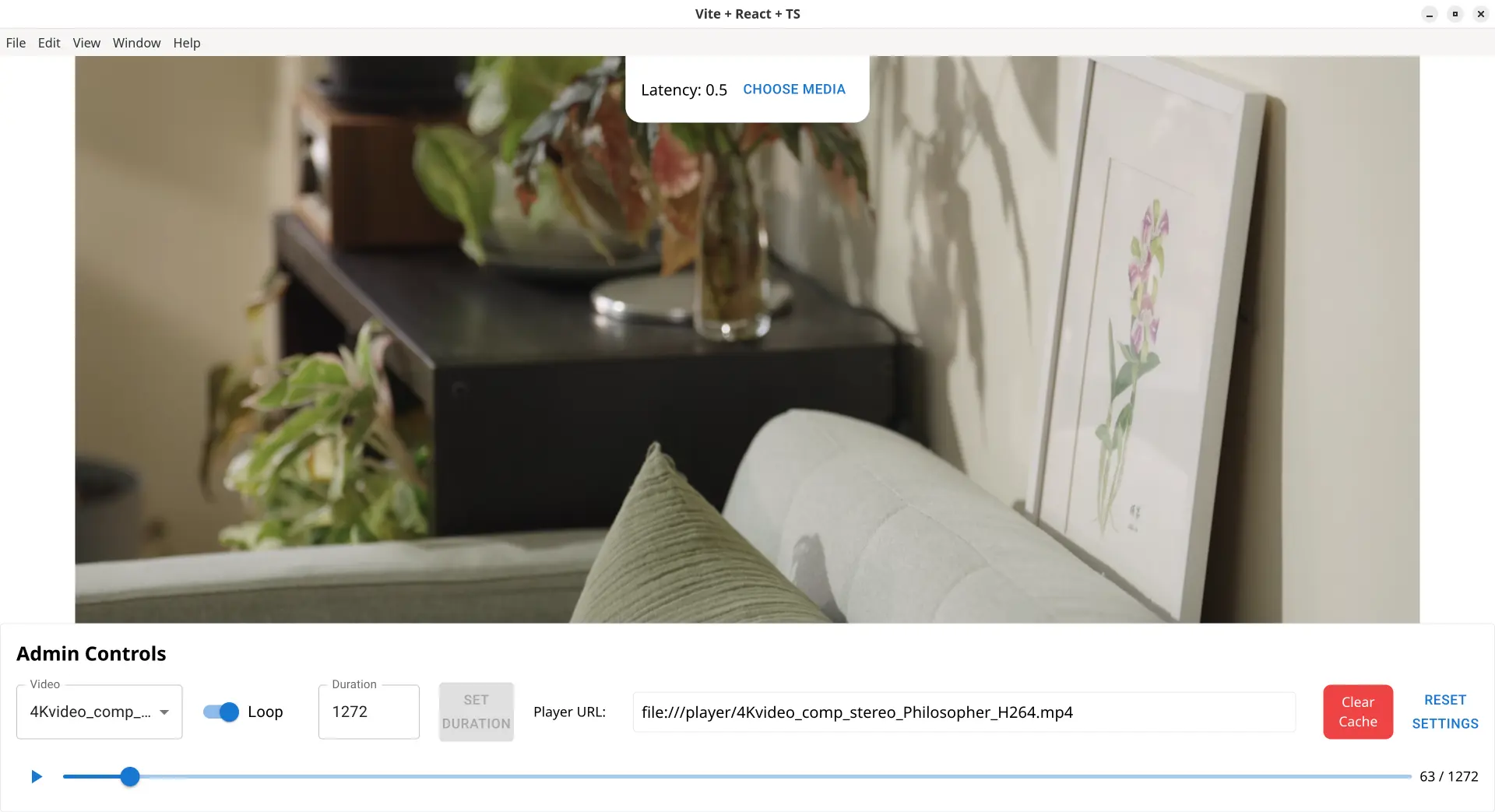 Admin Interface of Synchan
In an art exhibition environment, the exhibition managers usually are not from tech background. It is required to provide an easy-to-use interface to start the whole system. Also, the installations usually don’t have mouse and keyboard connected once the set-up is completed. Thus, the unattended start-up is important to minimise the effort for the exhibition managers.
There are many limitations for a Web-based application to achieve this. Modern browsers require user interaction to play the sound, auto full-screen is also blocked.
Therefore, I wrapped the backend and the admin interface as an Electron application. The server is spawned once the application starts, requiring no terminal or background service configuration. Furthermore, Electron can be configured to allow autoplay and open-to-fullscreen. The application also memorises last played video, and automatically play it on the start.
As a result, exhibition managers can just turn on the computer, and the whole installation is up and running.
Real-Time Sync Engine
Latency between devices is the biggest problem for cross-device synchronisation, especially when both have audio tracks, the difference becomes trivial.
The latency mainly comes from the network latency between server and clients, while different clients have different latency. In the time code synchronisation protocol, I implemented a round-trip latency measurement. Every time the server sends a new time code, it starts a stopwatch, and wait for client’s ping back. Then server uses a moving-window algorithm to calculate the median of recent transmissions, so the spikes in networking can be eliminated. Finally server includes the calculated latency in the next time code packet sent to the client.
Once the client receives the time code with latency, it can calculate the real time code. But the next problem arises:
The video seek operation in the browser takes long time (>0.5s) on low-end devices like Raspberry Pi. So it is not possible to do precise control using seek, and it also breaks the continuity of the video playback.
Therefore, I use micro speed adjustment to align the target playhead, by a linear speed control between 1.05x to 0.95x. The number chosen is a balance between adjustment balance and user experience. It is unnoticeable by the users, and it doesn’t breaks the video playing or lag the browser.
After the fix, latency can be minimised to under 5ms, which is indistinguishable by human ear.
Performance Optimisation via Preloading
The networking may not be stable in an exhibition environment. While playing on low-end devices like Raspberry Pi, mid-playback buffering often causes little lags. Besides, exhibition installations usually play the same videos, and the set-up time is before the exhibition starts, which can be ignored.
Therefore, instead of streaming, it has many benefits to preload the whole video before playing.
I implemented a cache layer in the video player, which downloads the whole file and saves into IndexedDB. This method works in every modern browser out-of-box.
By using preloading, it solves the mid-playback buffering issue and significantly improves the stability.
Cross-Platform Clients
Synchan itself ships a Web-based client, which can run on every platform with a modern browser, including both desktop and mobile devices. Its server-client structure also allows it to be used by different clients.
On low-end devices like Raspberry Pi, running a Chromium instance to play video may be too heavy. Thus, I developed a headless client VLChan using VLC Python SDK. It connects to a Synchan Server and plays local files with synchronised playhead, allows best performance on a Raspberry Pi.
Show Cases
Lin Pei-Yao Solo Exhibition: The Dual Double-Channel (2024)
Used in work Gaze Triangle
- 3 video channels + 2 audio channels
- Server: Raspberry Pi 4
- Clients
- Raspberry Pi 4 (same machine, connected monitor)
- Mac Mini (projector + Bluetooth headset)
- Android Phone (play audio by built-in speaker)
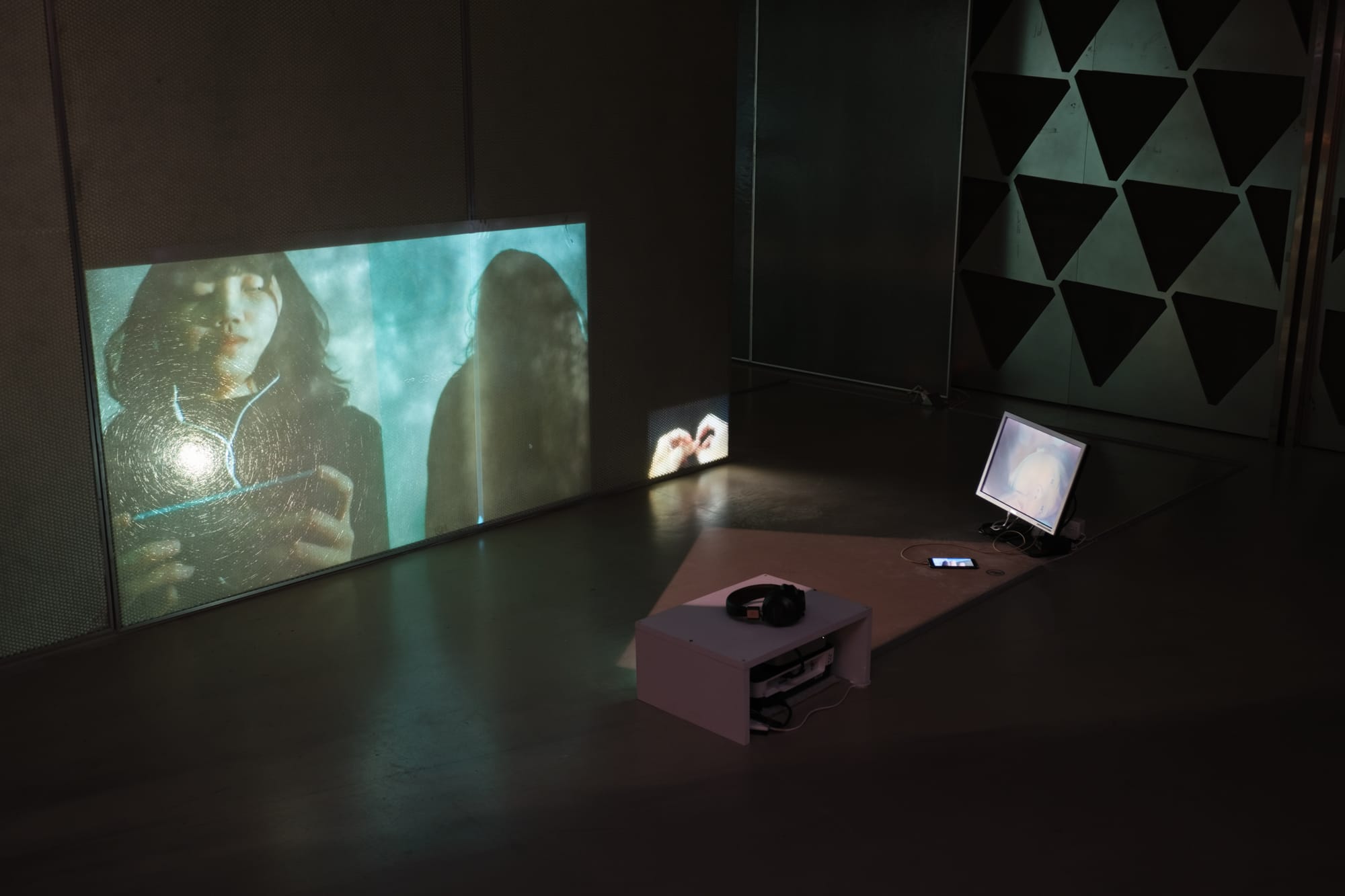
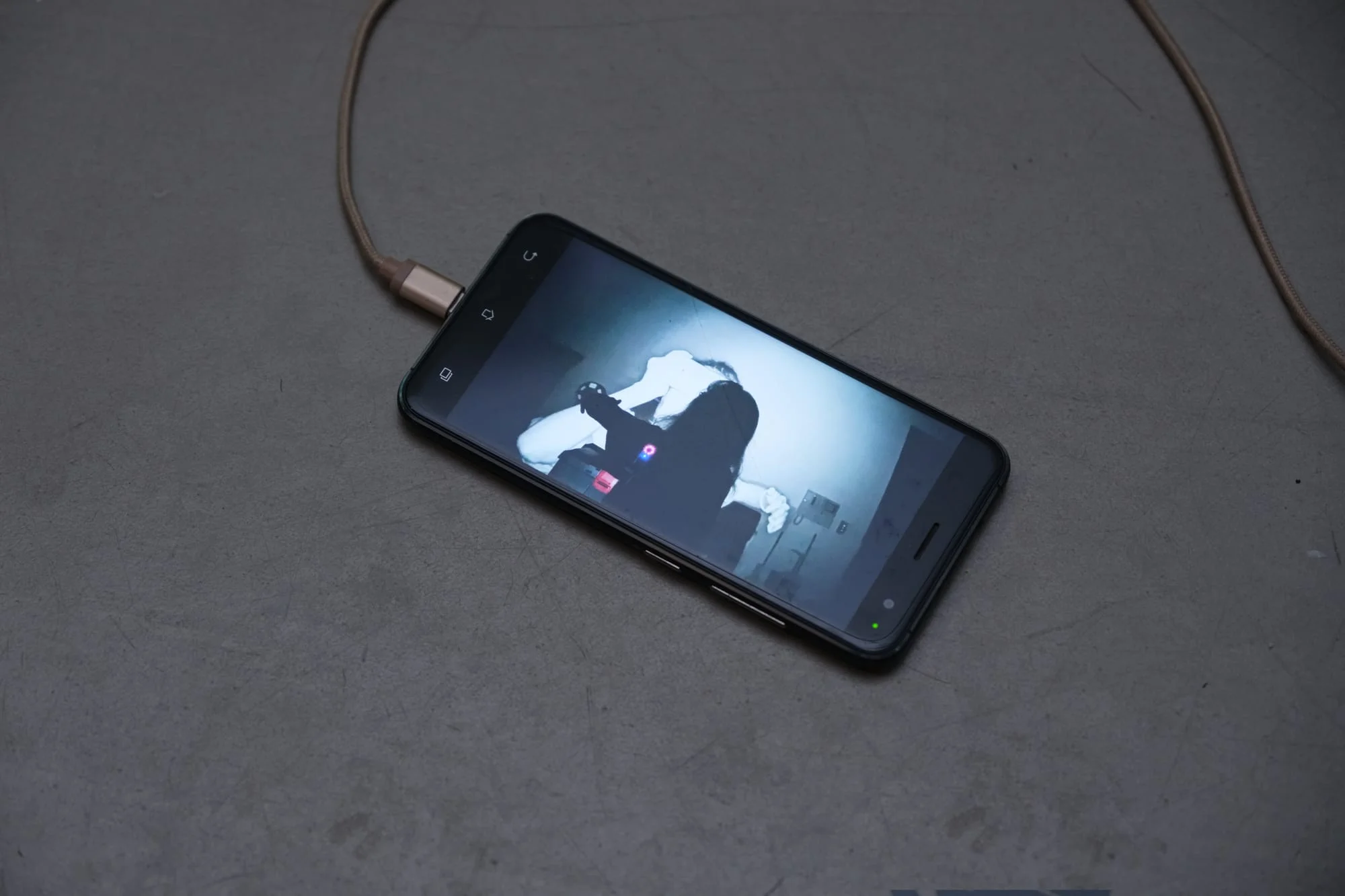
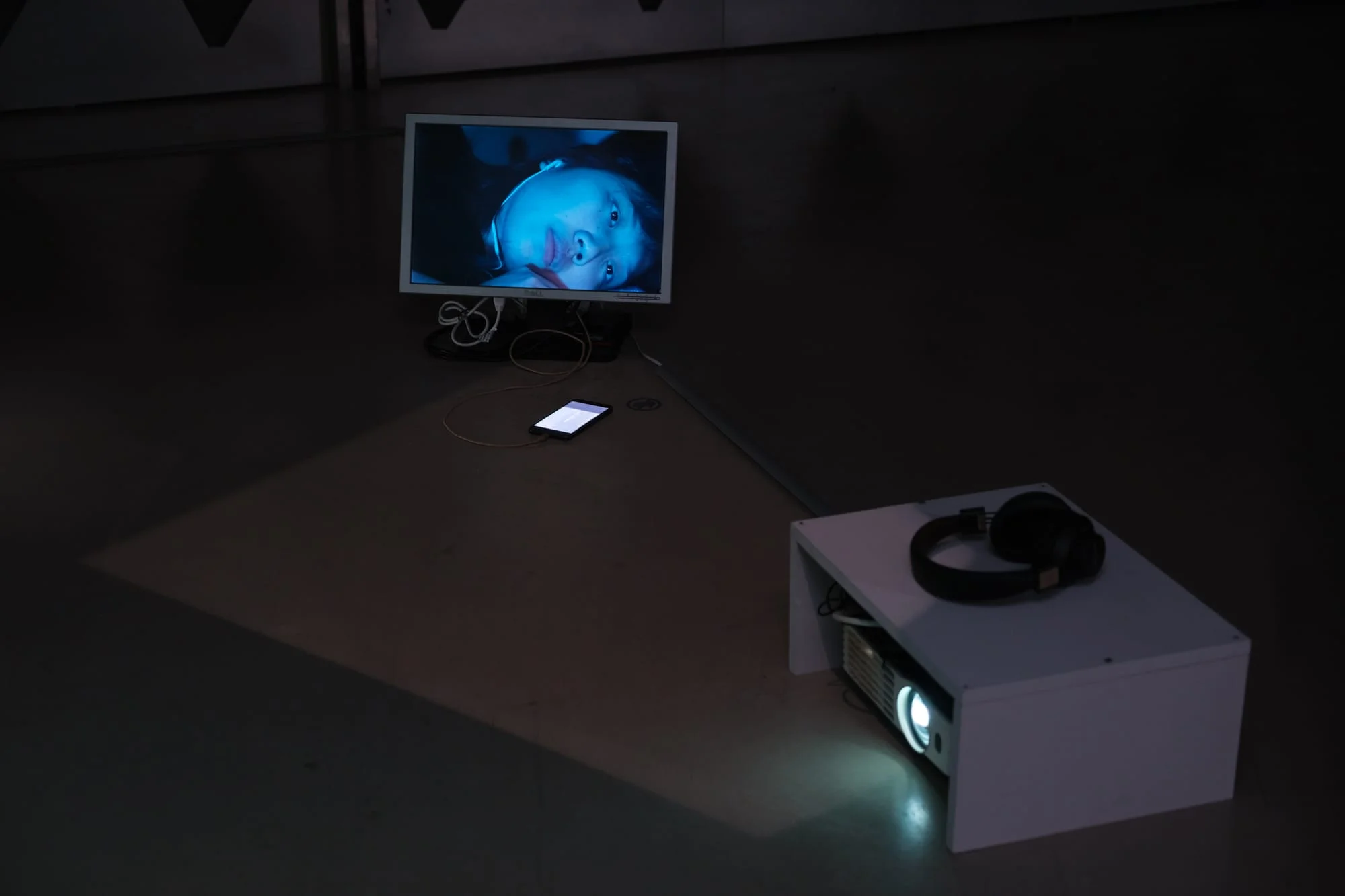
Lin Pei-Yao Solo Exhibition: Who is the speaker? (2025)
Used in work Inter-view with a Philosopher
- 1 video + 2 audio channels
- Server: Mac Mini
- Clients
- Mac Mini (same machine): Video + audio
- Raspberry Pi 4 (audio only VLC client)
- Extra time-code control with Actionwire

Want to Try?
Currently available by invitation only. For inquiries, please contact [email protected]


